Stage 5: Fireball Cannon + the conveyor
Finish Stage 4. Your coin machine has a Dropper that spawns gold coins every 3 seconds.
a fireball cannon, the Stage 6 checkpoint, a conveyor that pushes coins, and a Collector that auto-pays the player on touch
how AssemblyLinearVelocity moves unanchored parts, and how a 'collector' completes the dropper-conveyor-collector tycoon pipeline
a coin machine that drops coins, conveys them across the floor, and credits the player automatically — no more pressing E for trickle income
60-second demo:
- Play Stage 5. Stand back and watch the coin machine. Coins fall from the Dropper onto a glowing conveyor. The conveyor slides them sideways into a Collector pad.
- When a coin touches the Collector, it vanishes and the Coins counter ticks up automatically. No E press needed.
- Explain: "Stage 4 was the dropper. Stage 5 is the conveyor and collector. Together they're the production line every Bloxburg-style tycoon runs on."
The big idea
Stage 4's dropper was passive income, but it required the player to walk over and press E on every coin. That's still effort. Real tycoons completely automate the loop — coins flow from a dropper, ride a conveyor, get collected automatically. The player just watches the number go up.
Today you build that conveyor + collector pipeline. The work splits into three things:
- Make dropped coins unanchored so physics can push them.
- Build a conveyor part that runs along the Start Platform and pushes any coin on it with a constant velocity.
- Build a collector part at the end of the conveyor. When a coin touches the collector, the script credits the player and destroys the coin.
You'll also build the fireball cannon for Stage 5 of the obby — same recipe as the base obby's Stage 5.
- unanchored
- the opposite of Anchored — the part falls under gravity and can be pushed by other forces
- AssemblyLinearVelocity
- a property that sets how fast (and which direction) a part moves; setting it every frame creates a conveyor effect
- Collector
- a tycoon term for a part that receives coins and credits them to the player; conceptually the end of the production line
- Vector3.new(x, y, z)
- a 3D vector — used here to express direction (which way the conveyor pushes)
Build it
Step 1 — Build the fireball cannon
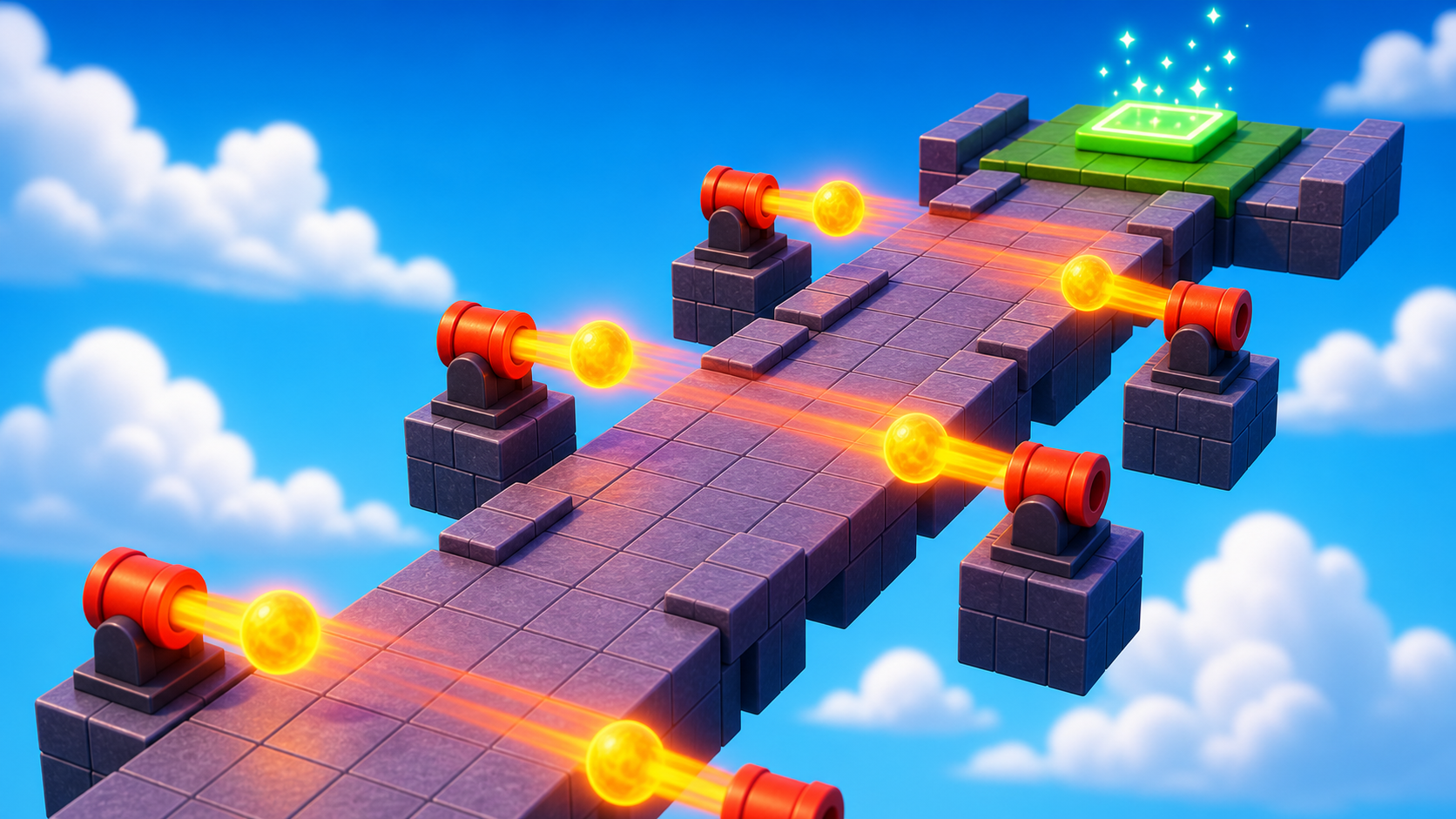
A narrow path beyond the Stage 5 violet pad, with two cannons that shoot fireballs across it. Same shape as the base obby's Stage 5.
Build this partCannonPath
BlockOpen recipe
CannonPath
Block- Size
- 4 × 1 × 30
- Color
- Dark stone grey
- Material
- Slate
- Anchored
- ✓ Yes
- Place
- In front of the Stage 5 violet pad, stretching forward 30 studs
Build this partCannonBase
CylinderOpen recipe
CannonBase
Cylinder- Size
- 2 × 3 × 3
- Color
- Black
- Material
- Metal
- Anchored
- ✓ Yes
- Place
- Beside CannonPath, about halfway along
Build this partCannonBarrel
CylinderOpen recipe
CannonBarrel
Cylinder- Size
- 5 × 1.5 × 1.5
- Color
- Dark stone grey
- Material
- Metal
- Anchored
- ✓ Yes
- Place
- On top of CannonBase, rotated to aim across the path (Orientation Y = 90)
Right-click CannonBarrel -> Insert Object -> Script. Open the editor, delete the placeholder line, and type this fireball spawner from base obby Stage 5:
local barrel = script.Parent
local Debris = game:GetService("Debris")

while true do
  local fireball = Instance.new("Part")
  fireball.Shape = Enum.PartType.Ball
  fireball.Size = Vector3.new(2, 2, 2)
  fireball.Color = Color3.fromRGB(255, 100, 0)
  fireball.Material = Enum.Material.Neon
  fireball.Position = barrel.Position

  local velocity = Instance.new("BodyVelocity")
  velocity.Velocity = barrel.CFrame.LookVector * 40
  velocity.MaxForce = Vector3.new(40000, 40000, 40000)
  velocity.Parent = fireball

  fireball.Touched:Connect(function(otherPart)
    local character = otherPart.Parent
    local humanoid = character:FindFirstChildOfClass("Humanoid")
    if humanoid then humanoid.Health = 0 end
    fireball:Destroy()
  end)

  fireball.Parent = workspace
  Debris:AddItem(fireball, 3)
  task.wait(1.5)
end
Step 2 — Wire the Stage 6 checkpoint
Build this partSpawnLocation (Stage 6 — end of cannon path)
BlockOpen recipe
SpawnLocation (Stage 6 — end of cannon path)
Block- Size
- 6 × 1 × 6
- Color
- Cyan
- Material
- Plastic
- Anchored
- ✓ Yes
- Place
- At the end of CannonPath
Also: check AllowTeamChangeOnTouch. Uncheck Neutral. Set TeamColor to Cyan.
Tag this SpawnLocation with StageNumber = 6.
In Teams, insert a new Team named Stage 6. Set its TeamColor to Cyan. Uncheck AutoAssignable.
Step 3 — Build the conveyor
The conveyor is a long thin block running along the Start Platform. Coins from the dropper fall onto it; a script pushes them sideways toward the collector.
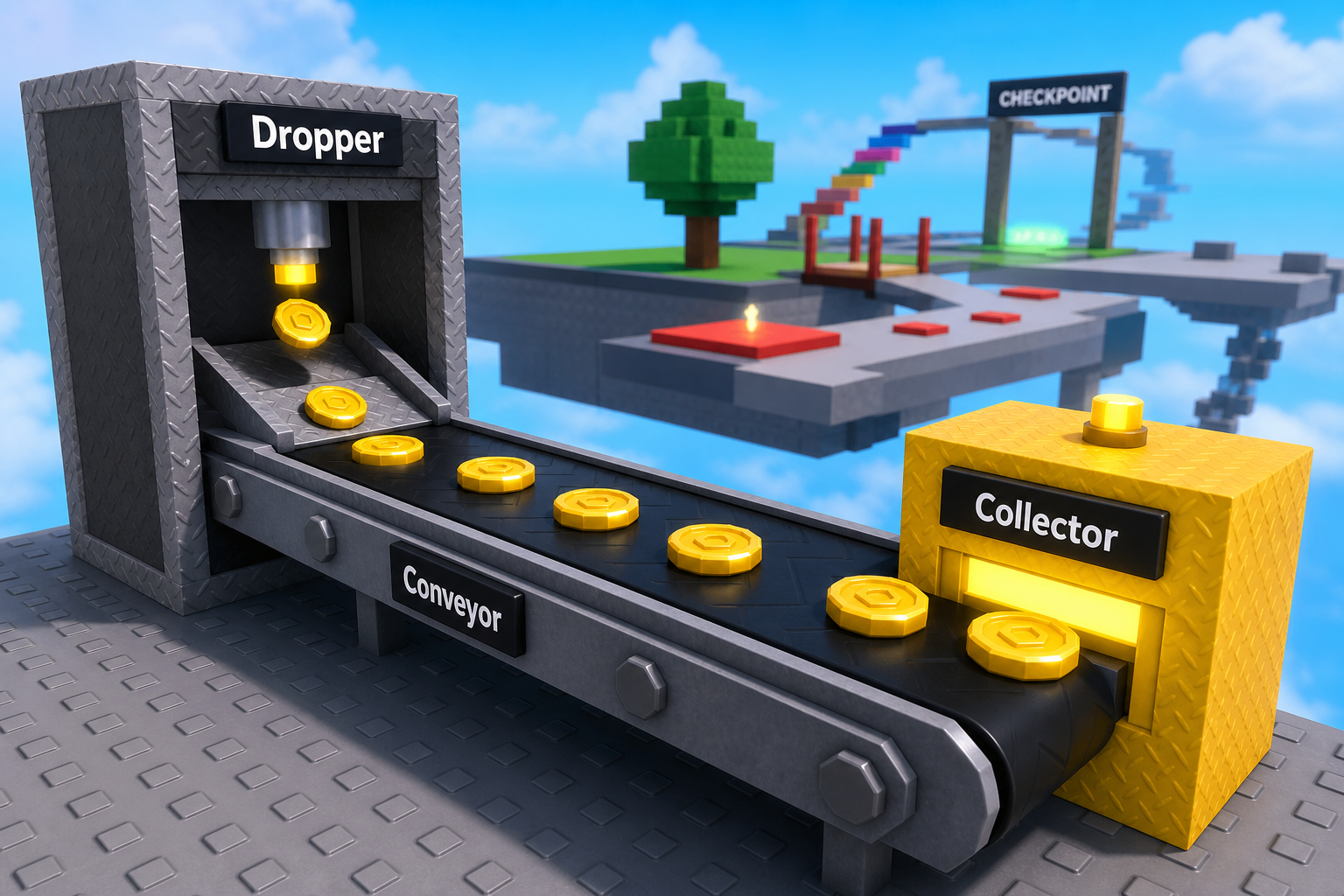
This stage has four parts that must line up physically and in code:
Dropper creates DroppedCoin parts -> Conveyor pushes unanchored coins -> Collector.Touched detects each coin -> the coin's CoinValue is added to the player's leaderstats.Coins.
If one piece is misplaced or misnamed, the pipeline stops. Test each piece before adding the next.
Build this partConveyor
BlockOpen recipe
Conveyor
Block- Size
- 15 × 1 × 3
- Color
- Bright bluish green
- Material
- Neon
- Anchored
- ✓ Yes
- Place
- On the Start Platform (`Lobby` part), starting just under the Dropper and extending 15 studs to one side. The Dropper should drop coins onto its near end.
Bright color + Neon makes the conveyor obviously different from the Start Platform floor — the player reads it as 'moving thing.' Anchored = true (the conveyor itself doesn't move; it only pushes things).
Step 4 — Build the collector
The collector sits at the far end of the conveyor. Coins arrive, the collector pays the player.
Build this partCollector
BlockOpen recipe
Collector
Block- Size
- 3 × 2 × 3
- Color
- Bright yellow
- Material
- Neon
- Anchored
- ✓ Yes
- Place
- At the far end of Conveyor — coins should slide off the conveyor and into the Collector
A glowing yellow box reads as 'destination' or 'win zone.' Sized slightly taller than the conveyor so coins definitely collide with it.
Step 5 — Modify the dropper script to spawn unanchored coins
Open TycoonEconomy. Find the dropper script from Stage 4. Make two changes:
- Change
coin.Anchored = truetocoin.Anchored = false. - Change the position line so coins drop ONTO the conveyor, not next to the Dropper. Replace
coin.CFrame = dropper.CFrame * CFrame.new(0, -2, 0) * CFrame.Angles(0, 0, math.rad(90))with:
coin.CFrame = dropper.CFrame * CFrame.new(0, -3, 0) * CFrame.Angles(0, 0, math.rad(90))
(The -3 instead of -2 lets the coin fall a bit before hitting the conveyor — easier to see physics actually working.)
Press ▶ Play. Coins drop from the Dropper onto the conveyor. They sit there, not moving yet — the conveyor doesn't push them until you add Step 6.
Step 6 — Add the conveyor push script
Build this in two passes — confirm the loop fires first, then add the actual push.
Pass 1 is a temporary diagnostic. Pass 2 replaces the whole Heartbeat block from Pass 1 with the real push block. Keep the RunService, conveyor, and CONVEYOR_SPEED lines, but do not keep nextReport, count, or the print after Pass 2.
Pass 1 — Heartbeat loop that counts DroppedCoins once per second
Type this to the bottom of TycoonEconomy:
local RunService = game:GetService("RunService")
local conveyor = workspace:WaitForChild("Conveyor")
local CONVEYOR_SPEED = 10

local nextReport = 0
RunService.Heartbeat:Connect(function()
  if tick() < nextReport then return end
  nextReport = tick() + 1

  local count = 0
  for _, item in ipairs(workspace:GetChildren()) do
    if item.Name == "DroppedCoin" and not item.Anchored then
      count = count + 1
    end
  end
  print("DroppedCoins ready to push:", count)
end)
Press ▶ Play. Output prints DroppedCoins ready to push: 0, then 1, then 2 as coins accumulate on the conveyor. Press Stop.
The Heartbeat connection works. The inner loop finds the right coins. All that's missing is the actual push.
Pass 2 — Replace the count-print with the velocity push
Replace the entire Pass 1 Heartbeat section with this checkpoint:
local RunService = game:GetService("RunService")
local conveyor = workspace:WaitForChild("Conveyor")
local CONVEYOR_SPEED = 10

RunService.Heartbeat:Connect(function()
  for _, item in ipairs(workspace:GetChildren()) do
    if item.Name == "DroppedCoin" and not item.Anchored then
      item.AssemblyLinearVelocity = conveyor.CFrame.RightVector * CONVEYOR_SPEED
    end
  end
end)
Press Play. Coins drop, hit the conveyor, then slide along it. Visible motion.
If they slide the wrong way, change RightVector to -conveyor.CFrame.RightVector (or try LookVector/UpVector). The conveyor's orientation in Properties decides the direction.
Step 7 — Add the collector pay script
Two passes — confirm the collector detects arriving coins first, then add the payout + destroy.
The collector also uses a temporary print first. Pass 2 replaces that print inside the same collector.Touched handler. Do not make a second Collector handler or coins may pay twice later.
Pass 1 — Touched handler that prints the arriving coin's value
Type this to the bottom of TycoonEconomy:
local collector = workspace:WaitForChild("Collector")

collector.Touched:Connect(function(otherPart)
  if otherPart.Name == "DroppedCoin" then
    local value = otherPart:GetAttribute("CoinValue") or 0
    print("Coin arrived at collector — value:", value)
  end
end)
Press ▶ Play. Wait for a coin to ride the conveyor and reach the collector. Output prints Coin arrived at collector — value: 2.
The detection works. The coin doesn't get paid out yet — it just sits at the collector. (You'll start seeing multiple coins pile up.) Press Stop.
Pass 2 — Add the destroy and pay-everyone logic
Replace the print with the real payout:
local collector = workspace:WaitForChild("Collector")

collector.Touched:Connect(function(otherPart)
  if otherPart.Name == "DroppedCoin" then
    local value = otherPart:GetAttribute("CoinValue") or 0
    otherPart:Destroy()

    for _, player in ipairs(Players:GetPlayers()) do
      if player:FindFirstChild("leaderstats") then
        player.leaderstats.Coins.Value = player.leaderstats.Coins.Value + value
      end
    end
  end
end)
Press Play. Coins drop → slide along the conveyor → touch the collector → vanish → counter ticks up. The full pipeline.
You're now earning 2 coins every ~3 seconds with zero input. That's a real tycoon.
Understand it
The unanchored coin is the moment physics enters your tycoon. Anchored parts ignore gravity, collisions, and applied forces. Unanchored parts feel all of them. The dropper drops; gravity pulls; the conveyor pushes; the collector stops them. Each is one physics interaction.
The AssemblyLinearVelocity property is the modern way to control a part's motion. Setting it every frame (via Heartbeat) creates a continuous push — the part moves at that velocity until something else changes it. The RightVector of a part is its +X axis in world space; conveyor coins move along the conveyor's length because the conveyor is oriented that way.
The Heartbeat loop runs ~60 times a second. That sounds heavy, but it only iterates over Workspace children that are DroppedCoins — usually 1–5 of them. For a few parts, this is fast. If you ever had hundreds of conveyor items, you'd group them in a Folder and iterate that folder instead.
The collector pays all players because this educational tycoon is single-player-friendly — multiple players in the same game share the income. Real multi-player tycoons would give each player their own dropper-conveyor-collector chain (a "plot"). The pattern would be: each plot has an Owner attribute pointing to a Player, and the collector only credits that owner.
The pipeline of (dropper → conveyor → collector) is the fundamental shape of a tycoon. Bloxburg, Lumber Tycoon, every tycoon you've played is some variation of this. Today you built the smallest possible version. Stage 6 and Stage 7 add upgrades — ways for the player to spend coins to make the pipeline pay better.
How conveyor push + collector pay form a pipeline
The Heartbeat loop continuously pushes unanchored DroppedCoins along the conveyor's RightVector. When a coin touches the Collector, its CoinValue gets added to every player and the coin is destroyed.
local RunService = game:GetService("RunService")

local conveyor = workspace:WaitForChild("Conveyor")
local CONVEYOR_SPEED = 10

RunService.Heartbeat:Connect(function()
  for _, item in ipairs(workspace:GetChildren()) do
    if item.Name == "DroppedCoin" and not item.Anchored then
      item.AssemblyLinearVelocity = conveyor.CFrame.RightVector * CONVEYOR_SPEED
    end
  end
end)

local collector = workspace:WaitForChild("Collector")

collector.Touched:Connect(function(otherPart)
  if otherPart.Name == "DroppedCoin" then
    local value = otherPart:GetAttribute("CoinValue") or 0
    otherPart:Destroy()

    for _, player in ipairs(Players:GetPlayers()) do
      if player:FindFirstChild("leaderstats") then
        player.leaderstats.Coins.Value = player.leaderstats.Coins.Value + value
      end
    end
  end
end)
Lines 1–4Setup — grab Heartbeat, the conveyor, and tune the speed.
CONVEYOR_SPEED is the one tuning knob for the conveyor's feel. 10 studs/second is brisk-but-readable. Bump to 20 for fast-tycoon, drop to 5 for slow-tycoon.
Lines 6–12Every frame, push every DroppedCoin.
Heartbeat fires ~60 times/sec. The loop walks Workspace, filters to non-anchored DroppedCoins, sets each one's velocity to the conveyor's RightVector. Continuous force = continuous motion. The coin stops when it leaves the conveyor (no more force applied, but momentum carries it) or hits the collector.
Lines 14–26Collector accepts and pays.
Touched fires when a DroppedCoin touches the Collector. Read the coin's CoinValue (defaulting to 0 if missing). Destroy the coin. For every player with a leaderstats folder, add the value to their Coins. Pay-everyone is fine for a single-player educational tycoon; real multiplayer would track per-plot ownership.
Try this
Try this
Three short experiments. Predict before you run, then test your guess.
Set CONVEYOR_SPEED to 100. Predict what happens: do coins reach the collector faster, or do they fly off the conveyor entirely? Run it. What did you learn about how fast is too fast?
Comment out the collector script entirely. Press Play. Watch what happens to the coins after the conveyor pushes them. Where do they end up? What does this tell you about why the collector has to exist — even though it just destroys things?
Stage 6 upgrades the Dropper so future coins are worth more. Looking at the collector script, where does the value of each dropped coin come from?
Test your stage
- Press ▶ Play. Coins drop from the Dropper onto the Conveyor.
- Coins slide along the conveyor at a readable speed.
- Coins reach the Collector, vanish, and the Coins counter ticks up by 2 each time.
- No piles of stale coins around the Start Platform (the pipeline drains them).
- Walk the cannon path. Time fireball gaps. Reach the cyan pad.
- Counter ticks up by 6 when you touch the cyan pad.
- Design check. Stand and watch the pipeline for 30 seconds. Does the rhythm feel satisfying? If too fast = chaotic. If too slow = boring. Tune
CONVEYOR_SPEEDuntil it feels like a watching a factory in a video game.
If it breaks
- Coins drop but don't move on the conveyor. Three possibilities: (1)
coin.Anchored = falsewas missed in Step 5 — anchored parts ignore velocity. (2) The conveyor's name in Explorer isn't exactlyConveyor. (3) The Heartbeat connect line has a typo. Open Output for red errors. - Coins slide the wrong direction. Replace
conveyor.CFrame.RightVectorwith-conveyor.CFrame.RightVector(negate) OR rotate the Conveyor in Properties so its RightVector points the right way. - Coins reach the Collector but the counter doesn't update. Check that the Collector's name in Explorer is exactly
Collector. Also check that DroppedCoin is the exact name the dropper script gives them. - Coins explode when they touch the conveyor. That's gravity + push overload. Lower
CONVEYOR_SPEEDto 5–10. If still happening, the conveyor and Start Platform are intersecting — raise the conveyor 0.5 studs above the Start Platform surface. - Coins fall through the conveyor. CanCollide on the Conveyor is off. Click Conveyor → Properties → check CanCollide.
- Cannons don't fire. Same debugging as base obby Stage 5 — Script inside CannonBarrel (not next to it), barrel rotation correct, BodyVelocity MaxForce high enough.
The visceral moment in Stage 5 is the first time a coin slides on the conveyor. Pause the room when the first camper sees it and demo on the projector — every camper should see physics + script combining before they keep going.
- Common Stage 5 failure: campers type both scripts correctly but their conveyor is rotated wrong, so coins slide off the wrong side and never hit the collector. Don't let them tune speed before they've confirmed coins are sliding toward the collector at all.
- Some campers will be tempted to chain two conveyors. Encourage as a stretch — it's the same pattern duplicated.
- The most surprising thing here is how little the script changed from Stage 4. Stage 4 ended with the dropper. Stage 5 added ~20 lines and the pipeline is complete. Frame it explicitly: real tycoons are MORE incremental than they look from the outside.
- 50 minutes. Cannon build takes 12, Stage 6 checkpoint 5, conveyor + collector + dropper modifications 25, connection-map debug 8.