Stage 8: Spinning KillBricks
Finish Stage 7: Rolling Rocks first. You have a Lime green checkpoint at the top of the ramp, and you understand TweenService.
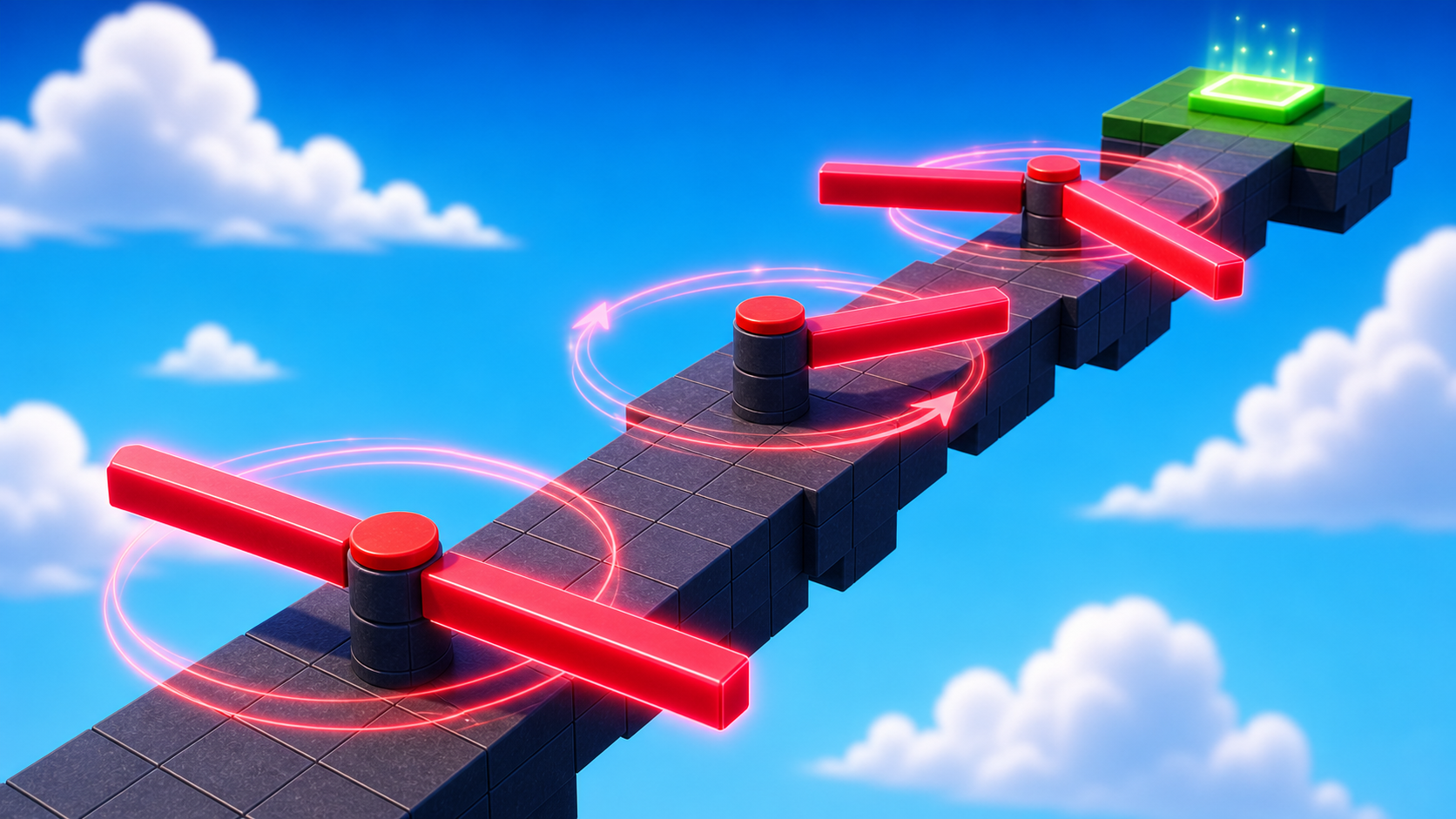
a narrow path with a sweep-arm bar that rotates continuously across it, killing on contact
CFrame as Roblox's position-and-rotation, `CFrame.Angles` for rotation, and `RunService.Heartbeat` for per-frame motion
the ninth checkpoint and a 6-line script that spins a part smoothly at 60 frames per second
The big idea
Stage 7 used TweenService for motion. TweenService is great for a predictable path: point A to point B.
Stage 8 needs motion that never stops: a fan blade, clock hand, or sweeping searchlight. That is what RunService.Heartbeat is for.
Heartbeat fires every frame, about 60 times per second. Connect a function to it, rotate the part a little each frame, and the motion looks smooth.
The rotation uses CFrame, Roblox's position-and-rotation type. Position says where a part is. CFrame says where it is and which way it faces.
The design lesson is cyclical danger. The hazard is always there, so the player must find the quiet moment in its pattern.
- CFrame
- Roblox's combined position+rotation type — a Part's full pose in 3D space
- CFrame.Angles
- creates a rotation CFrame around the X, Y, Z axes (radians, not degrees)
- RunService
- the service that exposes per-frame events like Heartbeat and RenderStepped
- Heartbeat
- an event that fires every frame after physics — perfect for continuous motion
- radians
- the math-friendly way to measure angles; 360° = 2π radians; one full rotation = math.pi * 2
Build it
Step 1 — Build the narrow path
A long narrow walkway. The spinner sits in the middle, sweeping across the only walkable route.
Build this partSpinPath
BlockOpen recipe
SpinPath
Block- Size
- 4 × 1 × 40
- Color
- Dark stone grey
- Material
- Concrete
- Anchored
- ✓ Yes
- Place
- Starting at the Stage 8 Lime green pad, stretching forward
Narrow on purpose. The sweep arm reaches almost across the full width — the player can't sidestep it.
Step 2 — Build the sweep arm
The sweep arm is a long thin bar that rotates around its vertical center. It sweeps over the path like a clock hand.
Build this partSweepArm
BlockOpen recipe
SweepArm
Block- Size
- 10 × 0.5 × 1
- Color
- Really red
- Material
- Neon
- Anchored
- ✓ Yes
- Place
- Hovering 2 studs above the middle of SpinPath. Its long axis (10) reaches beyond both edges of the path.
Anchored = true is essential. We're rotating the arm in code; physics would interfere if it were unanchored.
Step 3 — Add the ninth checkpoint
Build this partSpawnLocation (Stage 9 — past the spinner)
BlockOpen recipe
SpawnLocation (Stage 9 — past the spinner)
Block- Size
- 6 × 1 × 6
- Color
- Pink
- Material
- Plastic
- Anchored
- ✓ Yes
- Place
- At the far end of SpinPath, past the spinner
Also: check AllowTeamChangeOnTouch. Uncheck Neutral. Set TeamColor to Pink. In Teams, insert a Team named 'Stage 9', uncheck AutoAssignable, set its TeamColor to match.
Step 4 — Write the spinner script
This script is short, but it introduces two big ideas: CFrame.Angles and Heartbeat.
Right-click SweepArm → Insert Object → Script.
Pass 1 — Add the kill handler (same pattern as Stage 4)
local arm = script.Parent

arm.Touched:Connect(function(otherPart)
  local character = otherPart.Parent
  local humanoid = character:FindFirstChildOfClass("Humanoid")
  if humanoid then
    humanoid.Health = 0
  end
end)
Press Play. Walk into the arm — it kills you. But it doesn't spin yet. Stop.
Pass 2 — Spin once per frame using Heartbeat
Add the Heartbeat connection at the bottom:
local arm = script.Parent
local RunService = game:GetService("RunService")

arm.Touched:Connect(function(otherPart)
  local character = otherPart.Parent
  local humanoid = character:FindFirstChildOfClass("Humanoid")
  if humanoid then
    humanoid.Health = 0
  end
end)

-- About one full rotation every 3.5 seconds.
local spinSpeed = 1.8

RunService.Heartbeat:Connect(function(deltaTime)
  local turn = spinSpeed * deltaTime
  arm.CFrame = arm.CFrame * CFrame.Angles(0, turn, 0)
end)
Press Play. SweepArm spins around its vertical (Y) axis.
The player must wait for the arm to move aside, then dash across before it sweeps back.
Most of the script is the kill handler you already know. The new part is the Heartbeat connection at the bottom.
Understand it
CFrame is Roblox's combined position + rotation. part.Position changes where a part is. part.CFrame changes where it is and which way it faces.
For a spinning part, Position is not enough. You need CFrame because rotation is part of the movement.
CFrame.Angles(x, y, z) creates a rotation. The values are in radians, not degrees.
To spin around the vertical Y axis, put the turn amount in the middle slot: CFrame.Angles(0, turn, 0).
The * matters. arm.CFrame * CFrame.Angles(...) means "start from the arm's current CFrame, then add a small rotation." Each frame adds a little more.
deltaTime keeps speed fair. It tells you how many seconds passed since the last frame. Multiplying by deltaTime keeps the spin steady on faster and slower computers.
Why Heartbeat instead of while true do ... wait()? Heartbeat runs every frame. For smooth rotation, every frame matters.
How this script updates motion every frame
This script combines two ideas: the arm is still a KillBrick, but Heartbeat also rotates it a tiny amount every frame while the game is running.
local arm = script.Parent
local RunService = game:GetService("RunService")

arm.Touched:Connect(function(otherPart)
  local character = otherPart.Parent
  local humanoid = character:FindFirstChildOfClass("Humanoid")
  if humanoid then
    humanoid.Health = 0
  end
end)

local spinSpeed = 1.8

RunService.Heartbeat:Connect(function(deltaTime)
  local turn = spinSpeed * deltaTime
  arm.CFrame = arm.CFrame * CFrame.Angles(0, turn, 0)
end)
Lines 1–2Find the arm and the frame-update service.
`arm` is the SweepArm part. `RunService` gives scripts access to events that happen during the game loop, including Heartbeat.
Lines 4–10Keep the familiar hazard behavior.
This is the same touch-to-Humanoid pattern from Stage 4. The arm does not need special kill code just because it spins; it is still a part that kills when touched.
Line 12Set the spin speed.
`1.8` means 1.8 radians per second, which is about one full rotation every 3.5 seconds. Bigger numbers make the crossing harder because safe windows are shorter.
Lines 14–17Rotate a little bit every frame.
`Heartbeat:Connect` runs once per frame. `turn` uses deltaTime, so the spin speed stays steady on different computers.
Try this
Try this
Three short experiments. Predict before you run, then test your guess.
Change line 12 from 1.8 to 3.6. Predict what happens to the spin speed. Then run it. Now try 0.6. Predict and test.
Change CFrame.Angles(0, turn, 0) to CFrame.Angles(turn, 0, 0). Then try CFrame.Angles(0, 0, turn). Which axis matches a clock hand? Which matches a wheel?
The pattern arm.CFrame = arm.CFrame * CFrame.Angles(...) adds a tiny rotation every frame. What would happen if you removed the first arm.CFrame * part?
Test your stage
- SweepArm spins continuously around the vertical axis at a readable pace.
- Touching the arm kills you; you respawn on the Lime green pad.
- You can wait for the arm to be on one side, then dash across the path before it sweeps back.
- You reach the Pink pad at the end.
- Output is clean — no red errors during Play.
- Design check. Watch the spinner for 10 seconds. Is the quiet moment (when the arm is on one side and you have time to cross) long enough — at least 1.5 seconds? If too short, lower
spinSpeedto 1.2.
If it breaks
- The arm doesn't spin. Heartbeat connection probably failed. Check Output for red errors. Common cause:
RunServiceis misspelled (lowercaser, missinge). - The arm spins but jitters or stutters. Your spinSpeed might be too small (causing tiny visible changes) or the script might be doing other heavy work between Heartbeat calls. Try
spinSpeed = 1.8exactly. - The arm spins around the wrong axis. Change which slot in
CFrame.Angles(x, y, z)holds spinSpeed. Y is vertical (clock-hand style sweep). X is forward/back tilt (like nodding). Z is roll (like a barrel rolling). - The arm flies off into space when it spins. Anchored is off. Click SweepArm, find Anchored in Properties, turn it on.
- The arm sweeps under the path instead of over it. Move SweepArm up 2-3 studs in the Y axis so it's clearly above the path.
- Touching the arm doesn't kill me. Standard Touched debugging: Script inside the arm, Humanoid spelled correctly, Health = 0 not = 0.0 or = nil.
The Heartbeat-vs-while-loop concept is hard for campers to feel from a one-line explanation. Have them do this side by side: write a version using while true do … wait(0.03) … end instead of Heartbeat. The motion looks identical at 60 fps but the while loop will stutter when Roblox is busy with other things. Heartbeat doesn't.
- Radians vs. degrees throws everyone.
spinSpeed = 1.8means 1.8 radians per second, not 1.8 degrees per second. If a camper wants to think in degrees:math.rad(100)converts 100 degrees per second to about 1.75 radians per second. - CFrame is genuinely confusing — it's a 4x4 matrix under the hood. Don't try to explain the math. Just teach the pattern: "to spin smoothly, multiply CFrame by CFrame.Angles every frame."
- If a camper's arm flies off, they almost certainly forgot Anchored. Check first.