Stage 5: Fireball Cannon
Finish Stage 4: KillBrick Path first. You've written the Touched → Humanoid → Health = 0 pattern, and you have a violet pad at the end of the hazard path.
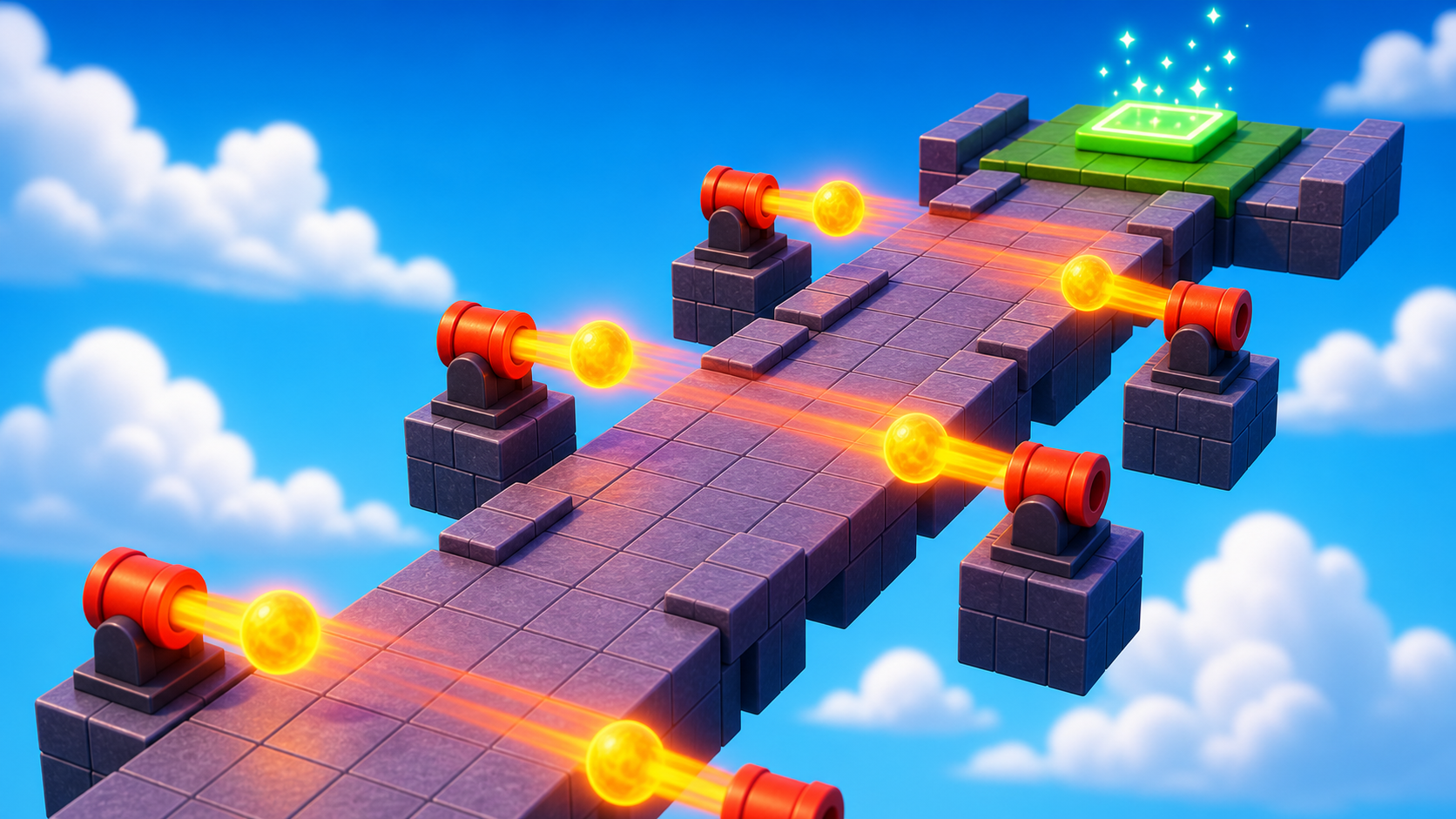
a 2-part cannon model that fires self-killing fireballs across a narrow path
how to create new Parts in code, give them physics with BodyVelocity, and clean them up with the Debris service
the sixth checkpoint and the biggest script of the course so far — about 25 lines of working Lua
The big idea
Stage 4 hazards were static: placed once, never moved.
Stage 5 hazards are spawned. The script creates fireballs, moves them, then cleans them up.
The cannon model is only the launcher. The fireballs do not exist until your script makes them.
This stage introduces three Roblox patterns: Instance.new, BodyVelocity, and the Debris service.
It also introduces a named function: a function you can call again and again.
The design lesson is timing pressure. There is one narrow path. The question is not where to walk; it is when to walk.
- Instance.new
- creates a new Roblox object of a given type, like a Part or BodyVelocity
- BodyVelocity
- an object you put inside a Part that gives it constant velocity (ignores gravity if Force is high)
- Debris service
- a built-in service whose :AddItem(thing, seconds) destroys `thing` after that many seconds
- Explosion
- a Roblox object that creates a visual blast effect at a position when its Parent is set to Workspace
- named function
- a function declared with `local function name(args) … end` that you can call later by name
Build it
Step 1 — Build the narrow path
Narrower than Stage 4 — the player should have nowhere to dodge sideways. Timing is the only strategy.
Build this partCannonPath
BlockOpen recipe
CannonPath
Block- Size
- 4 × 1 × 30
- Color
- Dark stone grey
- Material
- Slate
- Anchored
- ✓ Yes
- Place
- Starting at the Stage 5 violet pad, stretching forward 30 studs
4 studs wide — just enough to walk, not enough to dodge.
Step 2 — Build the cannon model (base + barrel)
A cannon is two parts working together. The base is a flat cylinder it sits on; the barrel is the cylinder that aims across the path.
Build this partCannonBase
CylinderOpen recipe
CannonBase
Cylinder- Size
- 2 × 3 × 3
- Color
- Black
- Material
- Metal
- Anchored
- ✓ Yes
- Place
- Beside the path, about halfway along, on the ground
When Shape is Cylinder, the X size is the cylinder's length, Y and Z are its diameter.
Build this partCannonBarrel
CylinderOpen recipe
CannonBarrel
Cylinder- Size
- 5 × 1.5 × 1.5
- Color
- Dark stone grey
- Material
- Metal
- Anchored
- ✓ Yes
- Place
- On top of CannonBase, rotated so it points across the path toward the player's lane
Rotate using the Properties panel's Orientation — try Orientation = [0, 90, 0] to aim across the path. The cannon's tip is where fireballs spawn.
The cannon is decorative — it doesn't actually fire anything yet. The fireballs come from the script. Build a second identical cannon further down the path (Ctrl+D both parts, position elsewhere) so the player faces two firing zones.
Step 3 — Add the sixth checkpoint
Build this partSpawnLocation (Stage 6 — past the cannons)
BlockOpen recipe
SpawnLocation (Stage 6 — past the cannons)
Block- Size
- 6 × 1 × 6
- Color
- Bright bluish green
- Material
- Plastic
- Anchored
- ✓ Yes
- Place
- At the far end of CannonPath
Also: check AllowTeamChangeOnTouch. Uncheck Neutral. Set TeamColor to Bright bluish green. In Teams, insert a Team named 'Stage 6', uncheck AutoAssignable, set its TeamColor to match.
Step 4 — Write the fireball spawner
This is the biggest script you've written. We'll build it in four passes — a working version after every pass.
Right-click CannonBarrel → Insert Object → Script. Open the editor.
Pass 1 — Create a single fireball, no motion, just to see it appears
local barrel = script.Parent

local function spawnFireball()
  local fireball = Instance.new("Part")
  fireball.Shape = Enum.PartType.Ball
  fireball.Size = Vector3.new(2, 2, 2)
  fireball.Color = Color3.fromRGB(255, 100, 0)
  fireball.Material = Enum.Material.Neon
  fireball.Position = barrel.Position
  fireball.Parent = workspace
end

spawnFireball()
Press Play. A glowing orange ball appears at the cannon, then falls.
Good. It exists, but it does not move forward or kill yet. Stop.
Pass 2 — Give the fireball motion with BodyVelocity
local barrel = script.Parent

local function spawnFireball()
  local fireball = Instance.new("Part")
  fireball.Shape = Enum.PartType.Ball
  fireball.Size = Vector3.new(2, 2, 2)
  fireball.Color = Color3.fromRGB(255, 100, 0)
  fireball.Material = Enum.Material.Neon
  fireball.Position = barrel.Position

  local velocity = Instance.new("BodyVelocity")
  velocity.Velocity = barrel.CFrame.LookVector * 40
  velocity.MaxForce = Vector3.new(40000, 40000, 40000)
  velocity.Parent = fireball

  fireball.Parent = workspace
end

spawnFireball()
Press Play. The fireball shoots in the direction the barrel is aimed.
barrel.CFrame.LookVector means "the direction this part is facing." Multiplying by 40 makes it move 40 studs per second.
Pass 3 — Make the fireball kill on touch, and clean it up after 3 seconds
local barrel = script.Parent
local Debris = game:GetService("Debris")

local function spawnFireball()
  local fireball = Instance.new("Part")
  fireball.Shape = Enum.PartType.Ball
  fireball.Size = Vector3.new(2, 2, 2)
  fireball.Color = Color3.fromRGB(255, 100, 0)
  fireball.Material = Enum.Material.Neon
  fireball.Position = barrel.Position

  local velocity = Instance.new("BodyVelocity")
  velocity.Velocity = barrel.CFrame.LookVector * 40
  velocity.MaxForce = Vector3.new(40000, 40000, 40000)
  velocity.Parent = fireball

  fireball.Touched:Connect(function(otherPart)
    local character = otherPart.Parent
    local humanoid = character:FindFirstChildOfClass("Humanoid")
    if humanoid then
      humanoid.Health = 0
    end

    local explosion = Instance.new("Explosion")
    explosion.Position = fireball.Position
    explosion.BlastRadius = 4
    explosion.BlastPressure = 0
    explosion.Parent = workspace

    fireball:Destroy()
  end)

  fireball.Parent = workspace

  Debris:AddItem(fireball, 3)
end

spawnFireball()
Press Play. The fireball shoots, hits something, creates an Explosion effect, and disappears.
Debris:AddItem(fireball, 3) is the backup cleanup. If the fireball never hits anything, Roblox removes it after 3 seconds.
Pass 4 — Loop the spawn so the cannon fires forever
Wrap the spawnFireball() call in a while true do at the bottom of the script. The function stays the same; only the bottom changes.
Replace spawnFireball() at the end with:
while true do
  spawnFireball()
  wait(1.5)
end
Press Play. The cannon fires every 1.5 seconds.
Walk the path. Time when to run. You built a cannon from scratch.
Copy the Script to the second cannon's barrel (drag in Explorer or insert + paste). Now both cannons fire — try to make it across.
Understand it
The whole script is one named function (spawnFireball) called from a while loop. This separation is intentional: the function describes "how to make one fireball," the loop says "make one every 1.5 seconds." If you wanted to add a third cannon that fires faster, you could call spawnFireball() from a different loop with wait(0.5). The function is reusable.
Instance.new("Part") creates a brand-new Part that doesn't exist in Workspace yet. It's a floating Part until you set its .Parent = workspace, which is when it actually appears in the game. We set every property (Shape, Size, Color, Material, Position) before parenting — that's a habit worth keeping, because each property change can cause a brief visual hitch if the part is already in the world.
BodyVelocity gives the fireball constant motion. The trick is MaxForce must be high enough to overcome gravity (40,000 in each axis is plenty for a 2-stud ball). Without high MaxForce, the BodyVelocity tries to push but gravity wins and the ball just drops. With high MaxForce, the ball flies in a straight line.
barrel.CFrame.LookVector is the direction the barrel is facing in world space. CFrame is Roblox's combined position + rotation type (Stage 8 goes deep on this). LookVector gives you the "forward" direction as a normalized Vector3 — you multiply it by your desired speed to get a velocity vector.
Debris:AddItem(fireball, 3) is insurance. Even though the fireball self-destroys when it hits something via :Destroy(), sometimes fireballs miss everything (fly off the edge of the world). The Debris service guarantees cleanup after 3 seconds no matter what. Always pair Instance.new with a cleanup strategy — otherwise you accumulate parts and the game slows down.
How this script builds, launches, and cleans up fireballs
Read this as two pieces: the function is the recipe for one fireball, and the loop at the bottom keeps using that recipe every 1.5 seconds.
local barrel = script.Parent
local Debris = game:GetService("Debris")

local function spawnFireball()
  local fireball = Instance.new("Part")
  fireball.Shape = Enum.PartType.Ball
  fireball.Size = Vector3.new(2, 2, 2)
  fireball.Color = Color3.fromRGB(255, 100, 0)
  fireball.Material = Enum.Material.Neon
  fireball.Position = barrel.Position

  local velocity = Instance.new("BodyVelocity")
  velocity.Velocity = barrel.CFrame.LookVector * 40
  velocity.MaxForce = Vector3.new(40000, 40000, 40000)
  velocity.Parent = fireball

  fireball.Touched:Connect(function(otherPart)
    local character = otherPart.Parent
    local humanoid = character:FindFirstChildOfClass("Humanoid")
    if humanoid then
      humanoid.Health = 0
    end

    local explosion = Instance.new("Explosion")
    explosion.Position = fireball.Position
    explosion.BlastRadius = 4
    explosion.BlastPressure = 0
    explosion.Parent = workspace

    fireball:Destroy()
  end)

  fireball.Parent = workspace
  Debris:AddItem(fireball, 3)
end

while true do
  spawnFireball()
  wait(1.5)
end
Lines 1–2Find the cannon barrel and the cleanup service.
`barrel` is the part this Script lives inside, so it becomes the fireball's starting point. `Debris` is Roblox's cleanup helper; we use it so missed fireballs do not stay in the world forever.
Lines 4–10Create one fireball, but keep it offstage for a moment.
`Instance.new("Part")` makes a new part in script memory. The script sets its shape, size, color, material, and starting position before parenting it to Workspace, so the fireball appears already configured.
Lines 12–15Give the fireball forward motion.
`barrel.CFrame.LookVector` means 'the direction the barrel points.' Multiplying by 40 turns that direction into speed. `MaxForce` is high so the motion wins against gravity and the ball flies forward.
Lines 17–31Decide what happens when the fireball hits something.
This is the Stage 4 touch pattern inside a moving object. If the thing hit belongs to a player, set the Humanoid's Health to 0. Either way, make an Explosion effect and destroy this fireball so it does not keep hitting things.
Lines 33–34Put it into the game, then schedule cleanup.
`fireball.Parent = workspace` is the moment players can see and touch it. `Debris:AddItem(fireball, 3)` is the backup plan: if the fireball misses everything, Roblox still removes it after 3 seconds.
Lines 37–40Use the one-fireball recipe over and over.
`spawnFireball()` makes one fireball. The loop waits 1.5 seconds and makes another. This is why named functions matter: the recipe stays in one place while the loop controls the rhythm.
Try this
Try this
Three short experiments. Predict before you run, then test your guess.
Comment out the Debris:AddItem(fireball, 3) line on line 34. Press Play and let the cannon fire for 30 seconds without walking onto the path. Open the Output and check Studio's performance. What happens to the workspace? Why?
Change the velocity multiplier on line 13 from 40 to 15. Then change it to 100. Play both. Which speed makes the cannon feel like a fair timing challenge — and what cues does the player use to predict where the fireball will land?
The structure is function spawnFireball() … end plus while true do spawnFireball(); wait(1.5) end. Stage 7's TweenService and Stage 8's Heartbeat connection are different ways to schedule recurring work. What's the trade-off between using a while true do versus a named event subscription like Heartbeat:Connect?
Test your stage
- Both cannons fire a fireball every 1.5 seconds.
- Standing in front of a fireball kills you; you respawn on the violet pad.
- Fireballs that miss everything disappear (don't pile up on the floor).
- Fireballs that hit the path create a small Explosion effect.
- You can time the cannons and reach the bluish-green pad.
- Design check. Walk the path with both cannons firing. Are the timings staggered enough that there's always a safe window? Or are there moments where both cannons fire at once and the path is impassable? Adjust by changing one cannon's
wait(1.5)towait(1.7)to desync them.
If it breaks
- The fireball appears but drops straight down. The BodyVelocity's MaxForce isn't high enough to overcome gravity. Re-check line 14 — both axes should be at least
40000. - The fireball appears inside the cannon.
fireball.Position = barrel.Positionputs it at the barrel's CENTER. You can offset it forward:fireball.Position = barrel.Position + barrel.CFrame.LookVector * 3(spawns 3 studs in front of the barrel). - The fireball flies the wrong way. The barrel's Orientation determines
LookVector. If the cannon fires away from the path, rotate the barrel: in Properties → Orientation, try[0, 90, 0],[0, -90, 0], or[0, 180, 0]until it aims correctly. - Studio freezes. You probably have
while true dowithout await()somewhere. Press Esc, find thewhile true doin your script, and confirm there's await(1.5)(or similar) inside. - Fireballs pile up at the cannon and never move. The cannon barrel might be too thick — the fireball is spawning inside the barrel and getting stuck. Make the barrel longer (X size from 5 to 7) or spawn the fireball further out (see the offset trick above).
This is the largest script in the course. Budget the full 55 minutes. Strategy: do not let campers type the whole Pass 3 script as one block. They will make a typo somewhere in 25 lines and not know where to look. Insist on Pass 1, then Pass 2, then Pass 3 — running between each.
- Common typo:
BodyVelocityvsBodyVelosity. Lua doesn't autocomplete, so the misspelling silently fails. Check for it before debugging anything else. barrel.CFrame.LookVectorconfuses campers — it's hard to predict the cannon's facing direction in 3D. Have campers add a print:print("LookVector:", barrel.CFrame.LookVector). The output (a Vector3 like1, 0, 0) tells them which axis the cannon points along.- The Debris service is easy to skip. Force-walk through Try-This's first prediction (commenting out Debris) so campers SEE the workspace fill with stale fireballs. The lesson sticks better as a visceral demo than as a warning.
- If a camper is way ahead, push them to the hard stretch — variable-speed fireballs are a real upgrade.