Stage 9: It Remembers
a memory so you can teach the assistant facts
how a dictionary stores and looks up values by name
an assistant that recalls something you taught it earlier
The big idea
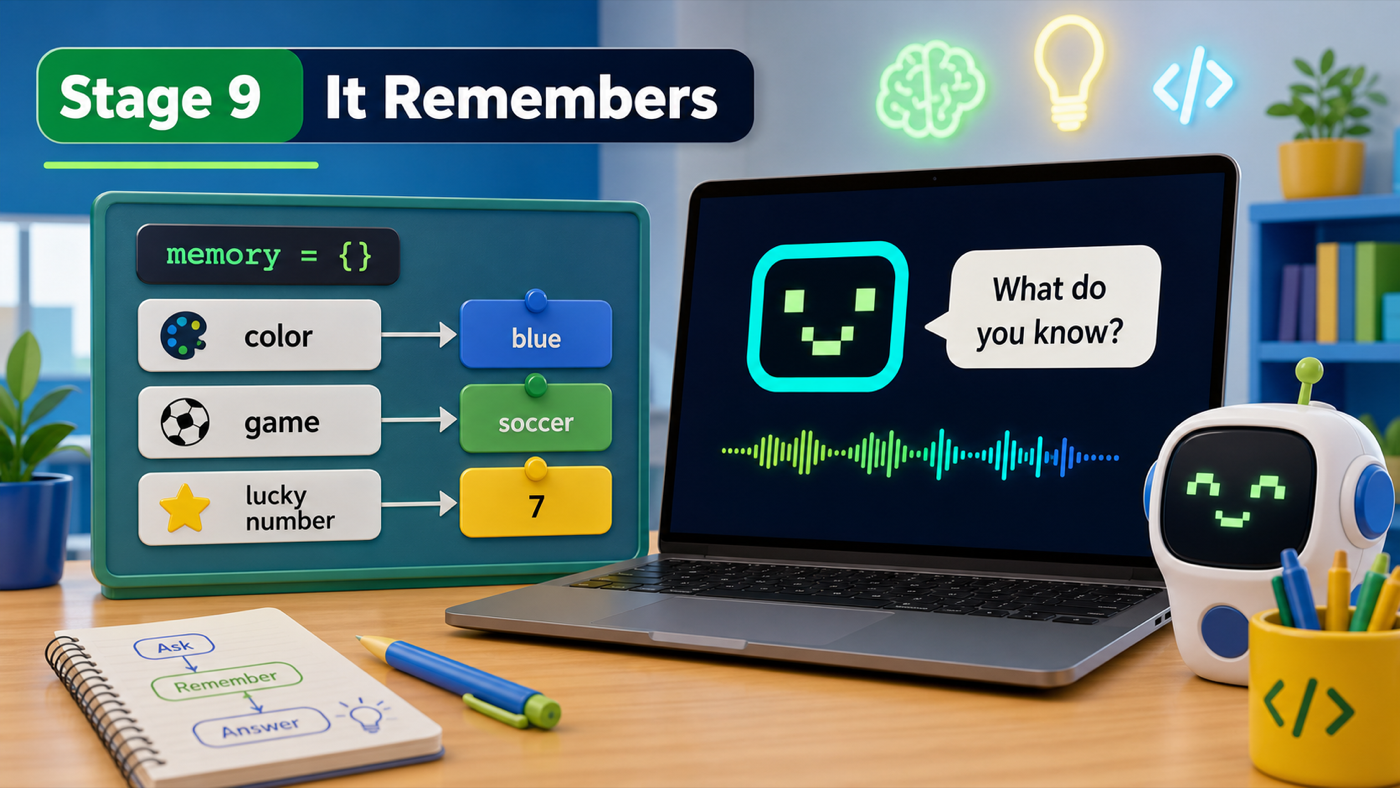
Your assistant understands you, but it has no memory — tell it your favorite color and it forgets instantly. This stage we fix that, and it's the moment your assistant feels truly personal.
The tool is a dictionary. A list keeps things in order by position; a dictionary keeps things by name. You look things up by a label called a key, and each key points to a value. Written out: memory = {"favorite color": "blue"}. Ask for the key "favorite color" and you get back "blue".
We'll start with an empty dictionary, memory = {}, and let the user fill it: remember my favorite color is blue stores it, and what is my favorite color looks it up and says it out loud.
- dictionary
- Storage that holds values by name instead of by position: {"key": "value"}.
- key
- The label you look something up by, like "favorite color".
- value
- What a key points to. In memory["favorite color"], the value might be "blue".
Make sure you finished Stage 8: It Understands — your assistant should handle messy, natural commands.
Build it
Step 1 — Make an empty memory
Near the top of your file, create an empty dictionary. It starts with nothing in it and fills up as the user teaches it.
assistant.py
Where it goes: Add this under your jokes list, near the top with your other data.
Curly braces with nothing inside means an empty dictionary, ready to fill.
memory = {}
Step 2 — Teach it and ask it
Now two new branches in the loop. The first stores a fact; the second looks one up. We split the sentence on the word is to pull out the key and the value.
Trace 'remember my favorite color is blue'
- We remove the word "remember", leaving "my favorite color is blue".
.split(" is ", 1)cuts it at " is " into key = "my favorite color" and value = "blue".memory[key] = valuefiles "blue" under the name "my favorite color".- Later,
memory["my favorite color"]hands "blue" right back.
Store or look up?
What's the difference between memory[key] = value and just memory[key]?
Check your thinking
memory[key] = value STORES a value under that key. memory[key] by itself LOOKS UP and gives back whatever is stored there. One files it away; the other reads it back.
assistant.py
Where it goes: Add the remember branch right after the quit check, and the recall branch lower down, just before the help branch.
Remember stores a fact. Recall reads it back. The recall branch sits after the skill keywords so 'what is the time' still tells the time.
    elif "remember" in command and " is " in command:
        fact = command.replace("remember", "").strip()
        key, value = fact.split(" is ", 1)
        memory[key.strip()] = value.strip()
        speak(f"Okay, I'll remember that {key.strip()} is {value.strip()}.")
assistant.py
Where it goes: Add this branch just before the help branch (after the math branch).
It looks up what the user asks for, and admits it when it doesn't know.
    elif command.startswith("what is") or command.startswith("what's"):
        thing = command.replace("what is", "").replace("what's", "").strip().rstrip("?").strip()
        if thing in memory:
            speak(f"{thing} is {memory[thing]}.")
        else:
            speak("I don't know that yet. Teach me by saying remember.")
Run it. Type remember my favorite color is blue, then later type what is my favorite color. Your assistant says it back. Teach it your favorite game, your pet's name, your lucky number — and watch it remember every one. This is the moment students light up.
Understand it
A dictionary is the perfect fit here because memory is about names, not order. You don't want "the third thing I told it" — you want "my favorite color." Keys let you ask by name, which is exactly how you think about facts. Storing with memory[key] = value and reading with memory[key] are the two moves that power contact lists, game saves, and login systems everywhere.
Notice the if thing in memory: check before we look something up. Without it, asking for a fact the assistant was never taught would crash the program. Checking first lets the assistant give a kind "I don't know that yet" instead. Good programs plan for the question they can't answer — and being honest about not knowing is part of feeling trustworthy.
One honest note: this memory lasts only while the program is running. Quit, and it forgets. That's because the dictionary lives in the computer's short-term memory. Saving facts to a file so they survive a restart is a real next step — and a great reason to keep coding after this course.
Try this
Try this
Three short thinking checks. Use evidence from the stage you just built.
Teach it two facts with the same key, like remember my favorite color is blue then remember my favorite color is red. Ask for it. Which answer do you get, and why? (A key can only hold one value at a time.)
Ask what is my favorite color before teaching it anything. Compare that reply to the one after you teach it. The "I don't know yet" path is just as important as the success path.
Your assistant remembers what you tell it. But it can't yet pull in anything new from the outside world — a fresh joke, today's fun fact. Where could brand-new information come from? (Stage 10 connects it to the live internet.)
Test your stage
Stuck? Compare carefully
assistant.py
Where it goes: Compare this against your whole file. Use it only if your program won't run.
This is the full file at the end of Stage 9.
import subprocess
import random
import datetime
import math
from rich.console import Console


console = Console()


def speak(text):
    print(text)
    subprocess.run(["say", text])


def greet(person):
    speak(f"Hello again, {person}!")


def say_bye():
    speak("See you later!")


def show_help():
    console.print("[bold cyan]I can do:[/bold cyan] hello, bye, joke, time, date, roll, math, remember, what is, help, quit")
    speak("Here are my commands. They're on the screen.")


jokes = [
    "Why did the computer go to the doctor? It caught a virus!",
    "Why was the math book sad? It had too many problems.",
    "What do you call a bear with no teeth? A gummy bear!",
    "Why do programmers prefer dark mode? Because light attracts bugs!",
]

memory = {}


def tell_joke():
    joke = random.choice(jokes)
    speak(joke)


def tell_time():
    now = datetime.datetime.now()
    speak("The time is " + now.strftime("%I:%M %p") + ".")


def tell_date():
    today = datetime.date.today()
    speak("Today is " + today.strftime("%A, %B %d") + ".")


def roll_dice():
    number = random.randint(1, 6)
    speak(f"You rolled a {number}.")


def do_math():
    number = input("Square root of what number? ")
    answer = math.sqrt(float(number))
    speak(f"The square root of {number} is {answer}.")


console.print("[bold green]==== PIXEL ====[/bold green]")
console.print("[cyan]Your Python assistant is online.[/cyan]")
speak("Hi! I'm Pixel, your assistant.")

name = input("What is your name? ")
speak(f"Nice to meet you, {name}!")
speak(f"Type commands, {name}. Type help to hear what I can do.")

while True:
    command = input("> ").lower().strip()

    if "quit" in command or "exit" in command:
        speak("Goodbye for now!")
        break
    elif "remember" in command and " is " in command:
        fact = command.replace("remember", "").strip()
        key, value = fact.split(" is ", 1)
        memory[key.strip()] = value.strip()
        speak(f"Okay, I'll remember that {key.strip()} is {value.strip()}.")
    elif "hello" in command:
        greet(name)
    elif "bye" in command:
        say_bye()
    elif "joke" in command:
        tell_joke()
    elif "time" in command:
        tell_time()
    elif "date" in command:
        tell_date()
    elif "roll" in command or "dice" in command:
        roll_dice()
    elif "math" in command:
        do_math()
    elif command.startswith("what is") or command.startswith("what's"):
        thing = command.replace("what is", "").replace("what's", "").strip().rstrip("?").strip()
        if thing in memory:
            speak(f"{thing} is {memory[thing]}.")
        else:
            speak("I don't know that yet. Teach me by saying remember.")
    elif "help" in command:
        show_help()
    else:
        speak("I'm not sure what you mean. Type help.")
-
remember my favorite color is bluegets a confirmation. -
what is my favorite colorsays the stored value back out loud. - Asking about something you never taught gives a kind "I don't know yet."
- Design check. Teach it three different facts and ask for each. Does it keep them all straight?
- From memory. Without looking, write the line that stores a value under a key in
memory. Did you usememory[key] = value?
If it breaks
ValueError: not enough values to unpack. The command had noisto split on. Theand " is " in commandguard should prevent this — make sure it's on your remember branch.what is the timesays "I don't know." Your recall branch is running before the time branch. Move thewhat isbranch below the time/date/roll/math branches so skill keywords win first.- It forgets after I quit. That's expected — this memory only lasts while the program runs. Saving to a file is a great next project.
- The key has extra spaces. Use
.strip()on the key and value, like the code shows, so "blue " and "blue" count as the same.