Stage 6: It Tells Jokes
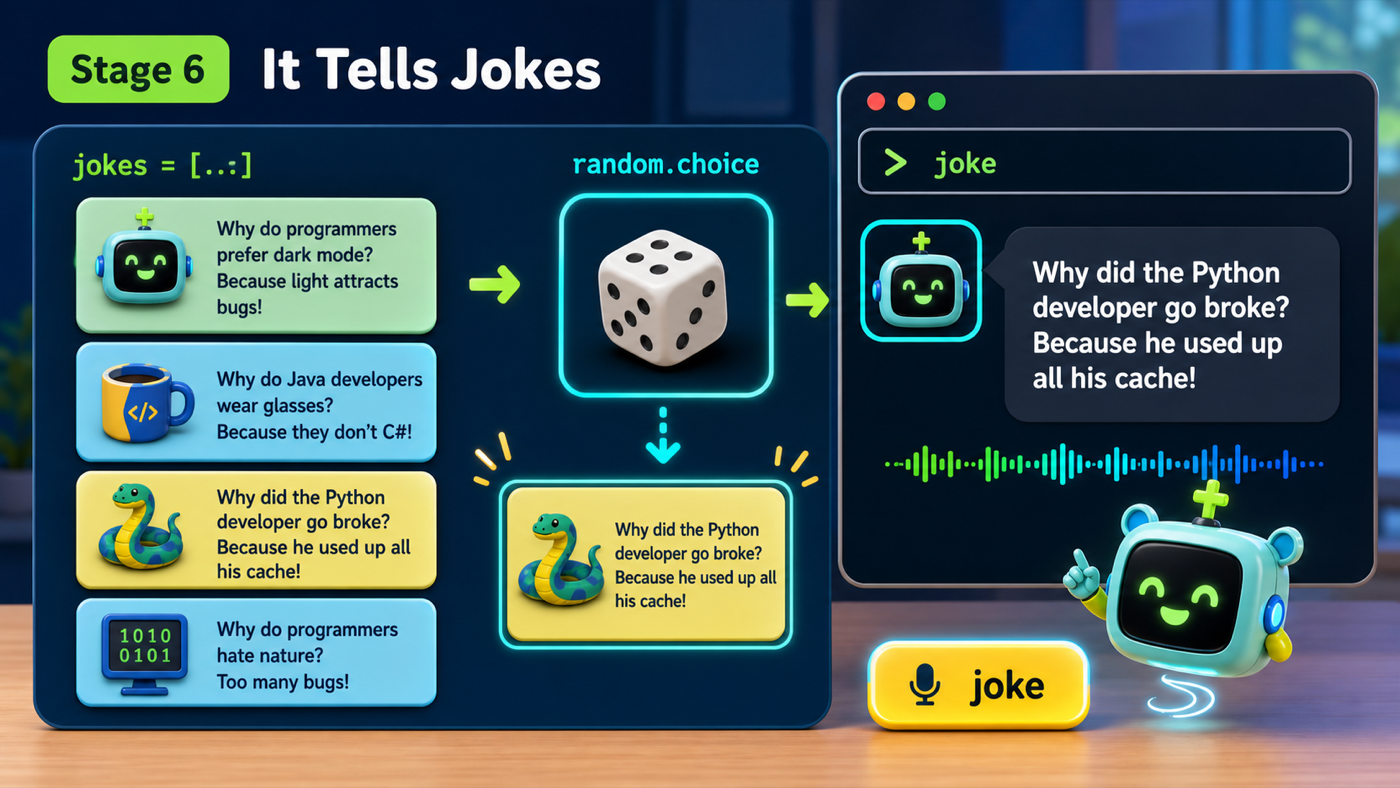
a joke command that picks a random joke
how lists hold many values and how random.choice picks one
an assistant that tells a fresh joke out loud every time
The big idea
Time for the skill the whole class has been waiting for: jokes. A joke command is only fun if it doesn't repeat itself, so we need two new ideas.
A list holds many values in one variable, written in square brackets and separated by commas: ["red", "green", "blue"]. We'll keep all our jokes in one list.
To pick one without knowing which ahead of time, we use the random module's choice function. random.choice(jokes) reaches into the list and grabs one item at random — that unpredictability is exactly what makes the assistant feel alive instead of scripted.
- list
- Many values in one variable, inside square brackets: ["a", "b", "c"].
- module
- A toolbox of extra code you bring in with import, like import random.
- random.choice
- Picks one random item from a list. random.choice(jokes) grabs a surprise joke.
Make sure you finished Stage 5: It Has Skills — your loop should read like a menu of function calls.
Build it
Step 1 — Bring in the random module and make a joke list
At the very top of your file, next to import subprocess, add import random. Then, near your other functions, make a list of jokes. Keep them short — your assistant has to say them out loud.
assistant.py
Where it goes: At the top of the file, add import random under import subprocess.
An import brings a whole toolbox into your program.
import subprocess
import random
assistant.py
Where it goes: Add this list near the top, under your imports and above your functions.
A list of strings. Add as many jokes as you like — one per line, each ending in a comma.
jokes = [
    "Why did the computer go to the doctor? It caught a virus!",
    "Why was the math book sad? It had too many problems.",
    "What do you call a bear with no teeth? A gummy bear!",
    "Why do programmers prefer dark mode? Because light attracts bugs!",
]
Step 2 — Write the tell_joke skill and wire it up
Predict the pick
If you run random.choice(jokes) five times, will you get the same joke each time?
Check your thinking
No — it picks at random each time, so you'll get a surprising mix. You might even get the same one twice in a row, because random doesn't remember its last pick.
Write tell_joke yourself
Try writing the tell_joke function before you read the code below. It only needs two lines inside.
Need a hint?
Store the pick in a variable: joke = random.choice(jokes). Then speak(joke).
assistant.py
Where it goes: Add this function with your other skill functions, above the loop.
It picks one joke from the list, then says it.
def tell_joke():
    joke = random.choice(jokes)
    speak(joke)
assistant.py
Where it goes: Add a joke branch inside the loop, and add 'joke' to your show_help list.
One new elif. The loop stays tidy because the work is in the function.
    elif command == "joke":
        tell_joke()
Run it, type joke a bunch of times, and listen. A different joke (most of the time) out loud, every time. Don't forget to add the word joke to your show_help message so people know it's there.
Understand it
A list is the right tool here because it lets one variable hold many jokes, and random.choice does the picking for you. Without a list, you'd need a separate variable for every joke and a tall pile of if statements to choose between them. The list keeps all the jokes in one place, and adding a new one is as easy as typing a new line — no extra code, no new branches.
Here's the honest part again: the assistant isn't being funny on its own. It's choosing from jokes you wrote, at random. The surprise comes from random.choice, and the humor comes from you. That's still real programming — you built a system that feels spontaneous out of simple, predictable parts.
Try this
Try this
Three short thinking checks. Use evidence from the stage you just built.
Add a fifth joke to the list. Will you need to change tell_joke at all? Predict, then try. (This is the magic of lists.)
Make a second list called facts and a tell_fact() skill that uses random.choice(facts). Compare it to tell_joke — same shape, different list. Reusing a pattern is a sign you've learned it.
Your assistant can pick a random joke, but it can't tell you the actual time or date right now. Where could it get real information like that? (Stage 7 brings in more of Python's toolboxes.)
Test your stage
Stuck? Compare carefully
assistant.py
Where it goes: Compare this against your whole file. Use it only if your program won't run.
This is the full file at the end of Stage 6.
import subprocess
import random


def speak(text):
    print(text)
    subprocess.run(["say", text])


def greet(person):
    speak(f"Hello again, {person}!")


def say_bye():
    speak("See you later!")


def show_help():
    speak("I can do: hello, bye, joke, help, and quit.")


jokes = [
    "Why did the computer go to the doctor? It caught a virus!",
    "Why was the math book sad? It had too many problems.",
    "What do you call a bear with no teeth? A gummy bear!",
    "Why do programmers prefer dark mode? Because light attracts bugs!",
]


def tell_joke():
    joke = random.choice(jokes)
    speak(joke)


speak("Hi! My name is Pixel.")

name = input("What is your name? ")
speak(f"Nice to meet you, {name}!")
speak(f"Type commands, {name}. Type help to hear what I can do.")

while True:
    command = input("> ")

    if command == "quit":
        speak("Goodbye for now!")
        break
    elif command == "hello":
        greet(name)
    elif command == "bye":
        say_bye()
    elif command == "joke":
        tell_joke()
    elif command == "help":
        show_help()
    else:
        speak("I don't know that one yet. Type help.")
- Typing
joketells a joke out loud. - Typing
jokeseveral times gives different jokes (at least sometimes). -
helpnow mentions the joke command. - Design check. Read your jokes out loud. Are they short enough to hear clearly, not just read?
- From memory. Without looking, write the line that picks a random joke into a variable. Did you use
random.choice(jokes)?
If it breaks
NameError: name 'random' is not defined. You usedrandom.choicebut forgotimport randomat the top. Imports go at the very top of the file.NameError: name 'jokes' is not defined. Thejokeslist has to be created above thetell_jokefunction that uses it.- It always tells the same joke. Make sure you're using
random.choice(jokes)and not justjokes[0]. Also, with only one or two jokes, repeats are common — add more. SyntaxErrorin the list. Each joke needs quotes on both ends and a comma after it. Check the last line before the closing].