Stage 9: Tune the Game Feel
Keep building in the workspace on the right.
This stage is part of the same Crewmate Task Dash project you started in Setup. Type each new code block into the Trinket rail and keep building on the last stage.
balanced speeds, positions, and colors
how tuning changes difficulty more than new code does
a game another student can understand and finish
Make sure you finished Stage 8: Win and Lose States. Your Trinket project should already have a round that ends cleanly when the player wins or gets captured. Open the same file you used last stage and keep building from there.
The big idea
Polish is a coding skill. Small values decide whether the game feels fair, chaotic, slow, or exciting.
- tuning
- adjusting numbers until gameplay feels right
- playtest
- let someone play and watch what happens
- readability
- how easily a player can tell what is happening
- difficulty
- how demanding the game feels
Python concept
Constants and magic numbers
What it means: A constant is a named value you do not plan to change while the program runs. A magic number is an unexplained number hidden in code.
Tiny Python example:
PLAYER_STEP = 20
player.forward(PLAYER_STEP)
In this game: `CHASER_SPEED` explains what `4` controls. `CAPTURE_RADIUS` explains what `28` controls.
Why it matters: Named constants make tuning safer because students can change one clear value instead of hunting through the whole file.
Check: Constants and magic numbers
Why is `TASK_RADIUS = 28` easier to understand than using `28` everywhere?
Check your thinking
The name explains what the number means and makes it easier to tune later.
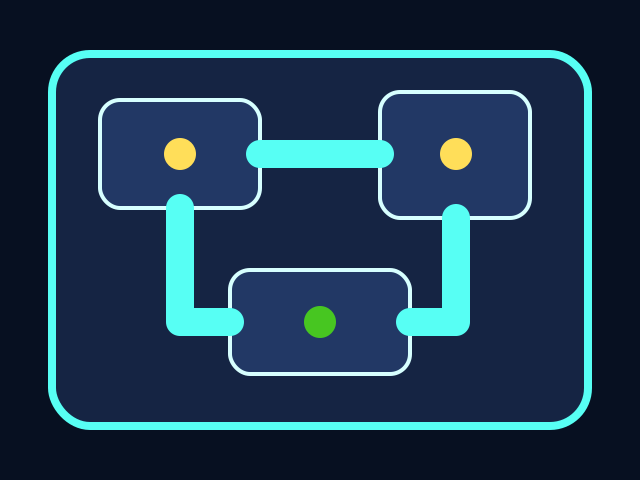


The player moves through the ship, collects tasks, and avoids the chaser. All playable shapes are drawn with Python Turtle code.
Build it
Name the purpose
Which name teaches more: `4` or `CHASER_SPEED`?
Check your thinking
`CHASER_SPEED` teaches more because it tells the reader what the number controls.
Type, run, test
Need a hint?
Add the new code to the same Trinket project. Keep previous stage code unless the stage says to replace a function.
Step 1 - Pull magic numbers into constants
A magic number is a value hidden in the middle of logic with nothing telling you why it is there. A constant gives that number a name. `CHASER_SPEED = 4` instantly tells you what the `4` controls — no detective work required.
PLAYER_STEP = 20
CHASER_SPEED = 4
TASK_RADIUS = 28
CAPTURE_RADIUS = 28
You should see — nothing visible changes from this line. The game is still using the hard-coded numbers inside `move_player` and the collision checks. The constants sit unused until Step 2 wires them in.
Need a hint?
Type and run one step at a time. If this step breaks, fix it before adding the next one.
Step 2 - Replace numbers one system at a time
Do not replace every number at once. Update movement first and test. Then task collection, test. Then capture, test. If something breaks, the last edit is always the suspect — that is the whole reason to migrate one system at a time.
You should see — after each replacement, the game should play exactly the same as before. If movement suddenly feels different, you probably swapped the wrong constant in or fat-fingered the number — back out the last change and try again.
Step 3 - Playtest one change at a time
Real tuning is a controlled comparison: change one value, run the game, write down what changed, then decide whether to keep it. Changing three numbers at once and then asking 'is this better?' is guessing, not tuning.
You should see — doubling `CHASER_SPEED` makes the round noticeably harder right away. Changing `TASK_RADIUS` is more subtle — that is exactly why tuning needs a deliberate before-and-after instead of a vibe check.
Active coding checkpoint
Replace a magic number
Rewrite the capture check so the number has a name. This makes tuning easier later.
CAPTURE_RADIUS = 28

if chaser.distance(player) < 28:
    end_game("Caught by the impostor!")
Need a hint?
Try this before opening the solution. Type the starter code, then fill in or fix the missing part yourself.
Stuck? Compare carefully
main.py
The behavior is the same, but `CAPTURE_RADIUS` explains why the value exists.
CAPTURE_RADIUS = 28

if chaser.distance(player) < CAPTURE_RADIUS:
    end_game("Caught by the impostor!")
main.py
Use this as the stage target after you understand the smaller steps. Add it to your current Trinket file.
PLAYER_STEP = 20
CHASER_SPEED = 4
TASK_RADIUS = 28
CAPTURE_RADIUS = 28

# Use these names inside your movement and collision code.
# Changing the game should now mean changing these values first.
Trace the idea
- Named constants keep tuning values in one place.
- Small changes are easier to compare than random edits everywhere.
- Playtesting tells you which number to change next.
Understand it
Why this code works
- Constants make code easier to tune because important values live in one visible place.
- Difficulty is usually a relationship between several values: player speed, chaser speed, task spacing, and collision radius.
- A fair playtest asks a specific question, such as: can a new player win after two tries?
If it breaks
Troubleshooting wisdom
If you change a constant and nothing in the game responds, the old hard-coded number is still living somewhere in the file. Search the file for the original value (for example, search for `28` after renaming the capture radius). There is almost certainly one place that didn't get the new `CAPTURE_RADIUS` name yet.
If the game suddenly becomes impossible after a tuning pass, the last value change is the suspect. Undo only that change and try again. Tuning is most useful when you change one number at a time, so a broken state always points to a known line.
If two students disagree on whether the difficulty is right, neither one is the judge — the next person who tries the game is. Hand the keyboard to a player who hasn't seen the code. Watch them play one round without coaching. That round is the real test.
Try this
Try this
Three short thinking checks. Use evidence from the stage you just built.
Test your stage
- The game is possible to win.
- The chaser is visible and threatening.
- Task stations are not too close together.
- A new player understands what to do.