Stage 10: Polish and Demo
Keep building in the workspace on the right.
This stage is part of the same Crewmate Task Dash project you started in Setup. Type each new code block into the Trinket rail and keep building on the last stage.
instructions, final messages, and a demo script
how to make a project playable by someone else
a parent-demo-ready Python Turtle game
Make sure you finished Stage 9: Tune the Game Feel. Your Trinket project should already have named tuning constants like PLAYER_STEP, CHASER_SPEED, and the radii used in your collision checks. Open the same file you used last stage and keep building from there.
The big idea
The final stage is about communication. The game should teach controls, show progress, end clearly, and give the student code they can explain.
- polish
- small improvements that make a project feel finished
- onboarding
- helping a new player understand what to do
- demo script
- a short explanation of what you built and how it works
- refactor
- improve code organization without changing the goal
Python concept
Program structure
What it means: Program structure is how the parts of a file are organized so a reader can understand it.
Tiny Python example:
# imports
# constants
# objects
# functions
# event bindings
# start the game
In this game: The final game has imports at the top, variables and Turtle objects next, functions in the middle, key bindings near the end, and `game_loop()` to start play.
Why it matters: A working program is easier to debug and explain when related code lives together.
Check: Program structure
Why should function definitions usually come before the code that calls them?
Check your thinking
Python needs to know the function exists before it can call it.
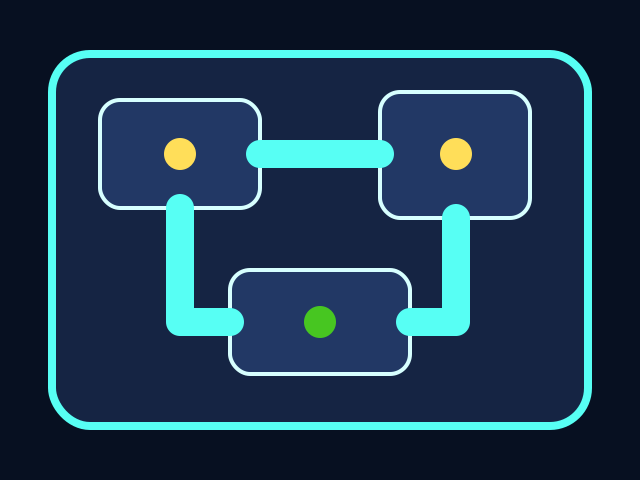


The player moves through the ship, collects tasks, and avoids the chaser. All playable shapes are drawn with Python Turtle code.
Build it
Playable without you
If a new player starts your game without instructions from you, what should they learn from the screen?
Check your thinking
They should know how to move, what to collect, what to avoid, and when the game is over.
Type, run, test
Need a hint?
Add the new code to the same Trinket project. Keep previous stage code unless the stage says to replace a function.
Step 1 - Add player instructions
A finished project should explain itself. The instruction writer tells a new player the controls, the goal, and the danger without a coach standing behind them — that is the whole test of whether your game is really finished.
You should see — a small white line of text appears near the bottom of the screen reading 'Arrow keys move | Finish every task | Avoid the chaser'. A new player can read it once and start playing without asking you anything.
Need a hint?
Type and run one step at a time. If this step breaks, fix it before adding the next one.
Step 2 - Prepare a demo script
A demo script is not extra homework. It is the moment you name the real programming ideas you used: coordinates for positions, functions for drawings and moves, a loop for the chaser, and conditions for win and lose. Naming them is the difference between 'I made a game' and 'I learned Python'.
You should see — nothing visible changes in the game from writing comments. The audience for the demo-script comments is you (when you explain the project) and your teacher (when they review the code) — not the gameplay.
Step 3 - Read the final code like an engineer
Before demo day, you should be able to point to one variable, one function, one loop, and one condition in your file and explain what each one does in a single sentence. If you can do that, you can answer almost any question a parent or teacher will ask.
You should see — try this: scroll the file from top to bottom and say one sentence per section out loud. If you trip on a section, that is the one to study before demo day — not the whole file.
Active coding checkpoint
Name the Python parts
Find one variable, one function, one method call, and one condition in the final project. Write them in comments before demo day.
# variable:
# function:
# method call:
# condition:
Need a hint?
Try this before opening the solution. Type the starter code, then fill in or fix the missing part yourself.
Stuck? Compare carefully
main.py
A finished project counts as learning when students can point to the code and explain what each part does.
# variable: score
# function: update_hud()
# method call: player.setposition(new_x, new_y)
# condition: if chaser.distance(player) < CAPTURE_RADIUS:
main.py
Use this as the stage target after you understand the smaller steps. Add it to your current Trinket file.
instruction_writer = turtle.Turtle()
instruction_writer.hideturtle()
instruction_writer.penup()
instruction_writer.color("white")
instruction_writer.setposition(0, BOTTOM + 15)
instruction_writer.write("Arrow keys move | Finish every task | Avoid the chaser",
                         align="center",
                         font=("Arial", 12, "normal"))

# Demo script:
# 1. I used coordinates to place rooms and tasks.
# 2. I used functions to draw and move the player.
# 3. I used a loop to move the chaser.
# 4. I used conditions to decide win or lose.
Trace the idea
- Instructions are for the next player, not the programmer.
- The demo script points to real code systems.
- The final game should run from green flag to ending without coach help.
Understand it
Why this code works
- Polish is not just colors. It is all the small choices that make a project understandable to someone who did not build it.
- The demo script connects the game back to Python concepts, so students can explain learning rather than only showing a finished screen.
- The final debug compare block is a reference, not a shortcut. Students should compare sections carefully instead of replacing their whole project blindly.
If it breaks
Troubleshooting wisdom
If your instruction text is cut off at the bottom of the screen, the y coordinate is too low. Try `BOTTOM + 30` or `BOTTOM + 40` so the text sits comfortably above the screen edge. Trinket's font isn't tiny — leave it some room.
If the final win or lose message lands directly on top of the instructions, two writers want the same screen real estate. Call `clear()` on the instruction writer when the round ends, or move the instruction text up out of the way. Decide upfront which message has priority during play vs. during the ending.
If a student says they can't explain the code, ask them to explain one small function, not the whole file. Pick `move_player`, `draw_crewmate`, or `end_game`. Understanding one piece in depth is the first step — the rest follows once they realize they can read it like English.
Try this
Try this
Three short thinking checks. Use evidence from the stage you just built.
Test your stage
- Instructions appear on screen.
- The game has a clear win and lose message.
- The student can explain one function and one condition.
- The project is saved in Trinket.
Stuck? Compare carefully
main.py
Use this complete version only after building the stages yourself.
#!/bin/python3
import turtle
import random
import math

screen = turtle.Screen()
screen.bgcolor("midnight blue")
screen.title("Crewmate Task Dash")

LEFT = -screen.window_width() / 2
RIGHT = screen.window_width() / 2
TOP = screen.window_height() / 2
BOTTOM = -screen.window_height() / 2

player = turtle.Turtle()
player.penup()
player.speed(0)
player.color("tomato")
player.shape("circle")
player.setposition(0, 0)

tasks = [(-190, 120), (190, 120), (-170, -120), (170, -120)]
tasks_done = 0
score = 0
game_on = True

hud = turtle.Turtle()
hud.hideturtle()
hud.penup()
hud.color("white")

chaser = turtle.Turtle()
chaser.penup()
chaser.speed(0)
chaser.color("purple")
chaser.shape("circle")
chaser.setposition(220, 0)

def update_hud():
    hud.clear()
    hud.setposition(0, TOP - 45)
    hud.write(f"Tasks: {tasks_done}/{len(tasks)}   Score: {score}", align="center", font=("Arial", 16, "bold"))

def draw_tasks():
    task_pen = turtle.Turtle()
    task_pen.hideturtle()
    task_pen.penup()
    task_pen.color("gold")
    for x, y in tasks:
        task_pen.setposition(x, y)
        task_pen.dot(24)

def move_player(dx, dy):
    if not game_on:
        return
    new_x = player.xcor() + dx
    new_y = player.ycor() + dy
    if LEFT + 30 < new_x < RIGHT - 30 and BOTTOM + 30 < new_y < TOP - 70:
        player.setposition(new_x, new_y)

def up():
    move_player(0, 20)

def down():
    move_player(0, -20)

def left():
    move_player(-20, 0)

def right():
    move_player(20, 0)

def check_tasks():
    global tasks_done, score, tasks
    remaining = []
    for task in tasks:
        if player.distance(task) < 28:
            tasks_done += 1
            score += 50
        else:
            remaining.append(task)
    tasks = remaining
    update_hud()

def move_chaser():
    if not game_on:
        return
    chaser.setheading(chaser.towards(player))
    chaser.forward(4)

def end_game(message):
    global game_on
    game_on = False
    hud.setposition(0, 0)
    hud.write(message, align="center", font=("Arial", 24, "bold"))

def game_loop():
    check_tasks()
    move_chaser()
    if chaser.distance(player) < 28:
        end_game("Captured! Try again.")
        return
    if tasks_done == 4:
        end_game("All tasks complete! You win!")
        return
    screen.ontimer(game_loop, 80)

screen.listen()
screen.onkey(up, "Up")
screen.onkey(down, "Down")
screen.onkey(left, "Left")
screen.onkey(right, "Right")

draw_tasks()
update_hud()
game_loop()

turtle.done()