Stage 3: Move Through the Ship
Keep building in the workspace on the right.
This stage is part of the same Crewmate Task Dash project you started in Setup. Type each new code block into the Trinket rail and keep building on the last stage.
arrow-key movement and wall boundaries
how events call functions
a player who moves without leaving the ship
Make sure you finished Stage 2: Draw the Crewmate. Your Trinket project should already have a crewmate on the ship drawn by a function named draw_crewmate(). Open the same file you used last stage and keep building from there.
The big idea
The keyboard does not move the player directly. It triggers functions, and those functions decide if a move is allowed.
- event
- something that happens, like pressing a key
- condition
- a true-or-false question the code checks
- xcor
- the Turtle's current x position
- ycor
- the Turtle's current y position
Python concept
Parameters and arguments
What it means: A parameter is an input name inside a function. An argument is the real value you send into the function when you call it.
Tiny Python example:
def add_points(amount):
    print(amount)

add_points(50)
In this game: `dx` and `dy` are parameters in `move_player(dx, dy)`. The call `move_player(0, 20)` sends the arguments `0` and `20`.
Why it matters: Parameters let one function handle all four movement directions instead of writing four different movement systems.
Check: Parameters and arguments
In `move_player(-20, 0)`, what are the arguments?
Check your thinking
`-20` and `0` are the arguments. They become `dx` and `dy` inside the function.
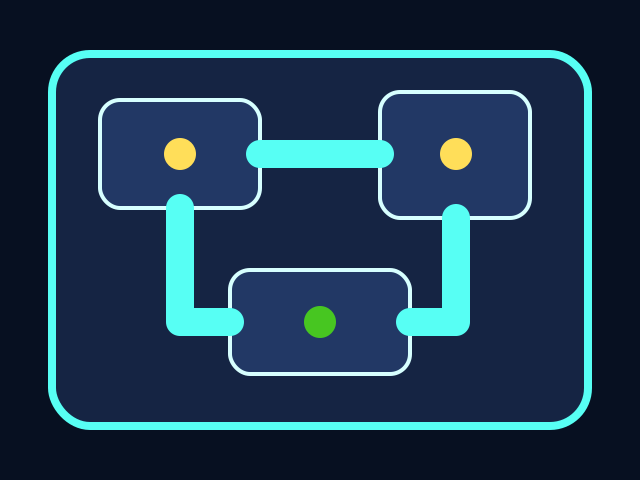



The player moves through the ship, collects tasks, and avoids the chaser. All playable shapes are drawn with Python Turtle code.
Build it
Function name or function call?
In `screen.onkey(up, "Up")`, why do we write `up` and not `up()`?
Check your thinking
`up` hands the function to Turtle so it can call it later. `up()` would call it immediately while the page loads.
Type, run, test
Need a hint?
Add the new code to the same Trinket project. Keep previous stage code unless the stage says to replace a function.
Step 1 - Think in x and y movement
`dx` means change in x. `dy` means change in y. Right is positive x, left is negative x, up is positive y, and down is negative y. Naming the change instead of the destination lets one function handle every arrow key.
def up():
    move_player(0, 20)

def left():
    move_player(-20, 0)
You should see — running this alone does nothing visible — Python now knows what 'up' and 'left' mean, but no key has been wired to them yet. The screen reacts in Step 3.
Need a hint?
Type and run one step at a time. If this step breaks, fix it before adding the next one.
Step 2 - Test the move before doing it
The code calculates `new_x` and `new_y` first, then the `if` condition decides whether that future position is still inside the ship. Asking before moving is what stops the player from drifting off-screen.
You should see — once movement is wired up in Step 3, holding an arrow key into a wall makes the player stop at the edge instead of disappearing. The future position failed the boundary check, so the move was simply not made.
Step 3 - Bind keys to functions
`screen.onkey(up, "Up")` means: when the Up arrow event happens, call the `up` function. Do not write `up()` inside the call, because that would run it immediately while the page loads instead of waiting for a key press.
You should see — the arrow keys now slide the player around the ship one step at a time. Walls stop you at the edges. If you ever swap `up` for `up()` by accident, the player jumps once on load and then ignores every key — a useful mistake to feel at least once.
Active coding checkpoint
Add one movement wrapper
Write the `right` wrapper. It should reuse `move_player(dx, dy)` instead of moving the Turtle directly.
def right():
    move_player(____, ____)
Need a hint?
Try this before opening the solution. Type the starter code, then fill in or fix the missing part yourself.
Stuck? Compare carefully
main.py
Right movement changes x by a positive amount and leaves y unchanged.
def right():
    move_player(20, 0)
main.py
Use this as the stage target after you understand the smaller steps. Add it to your current Trinket file.
def move_player(dx, dy):
    new_x = player.xcor() + dx
    new_y = player.ycor() + dy
    if LEFT + 30 < new_x < RIGHT - 30 and BOTTOM + 30 < new_y < TOP - 70:
        player.setposition(new_x, new_y)
        draw_crewmate()

def up():
    move_player(0, 20)

def down():
    move_player(0, -20)

def left():
    move_player(-20, 0)

def right():
    move_player(20, 0)

screen.listen()
screen.onkey(up, "Up")
screen.onkey(down, "Down")
screen.onkey(left, "Left")
screen.onkey(right, "Right")
Trace the idea
- Each key calls a tiny function.
- `move_player(dx, dy)` handles the real movement.
- The boundary condition blocks moves that would leave the room.
Understand it
Why this code works
- Keyboard movement is event-driven. The program waits for key events instead of running one long movement command.
- The helper function `move_player(dx, dy)` keeps all boundary logic in one place. Each arrow key only has to say which direction it wants.
- The long `if` condition is two checks joined by `and`: the x position must be safe and the y position must be safe.
When Trinket prints a red error message in the output area, the most useful information is at the bottom, not the top. Three habits cover most of what you will hit in this course.
- Read the last line first. It names the error type and the message, like
NameError: name 'playr' is not defined. That sentence is the headline of what went wrong — read it before scrolling up. - Then look at the line above. Python prints the file and the line number where it tripped, along with the line of code itself. Open that line in your file — the bug is almost always on it or one line above.
- Match the error type to a fix.
NameError— Python does not recognize a name. Check for a typo.playris not the same asplayer.SyntaxError— Python could not even parse the line. Look for a missing colon at the end of adeforif, an unclosed quote, or a stray comma.IndentationError— a line's spaces do not match its neighbors. Inside a function or loop, every line at the same level should be indented the same number of spaces.
From here on, when something breaks, start with the last line. The traceback is not scolding you — it is telling you exactly where to look.
If it breaks
Troubleshooting wisdom
If pressing the arrow keys does nothing, Turtle is not listening for the keyboard yet. `screen.listen()` must run before the `screen.onkey(...)` calls — it tells Trinket to start watching for key events. Without it, the bindings exist but no events ever reach them.
If one direction moves the wrong way (down arrow goes up, or right arrow goes left), the sign on its `dx` or `dy` argument is flipped. `up` should pass a positive `dy`; `down` should pass a negative one. Open the wrapper function and ask: is this number pointing the direction I think it is?
If the player can slide right through a wall, look for a `<` that should be a `>` (or vice versa) in the boundary condition. The check should read as 'new_x is between the inside-left and the inside-right edges of the room.' A single flipped comparison is the most common cause of escapes.
Try this
Try this
Three short thinking checks. Use evidence from the stage you just built.
Test your stage
- Arrow keys move the player.
- The player cannot leave the room.
- Movement redraws the crewmate after each step.